
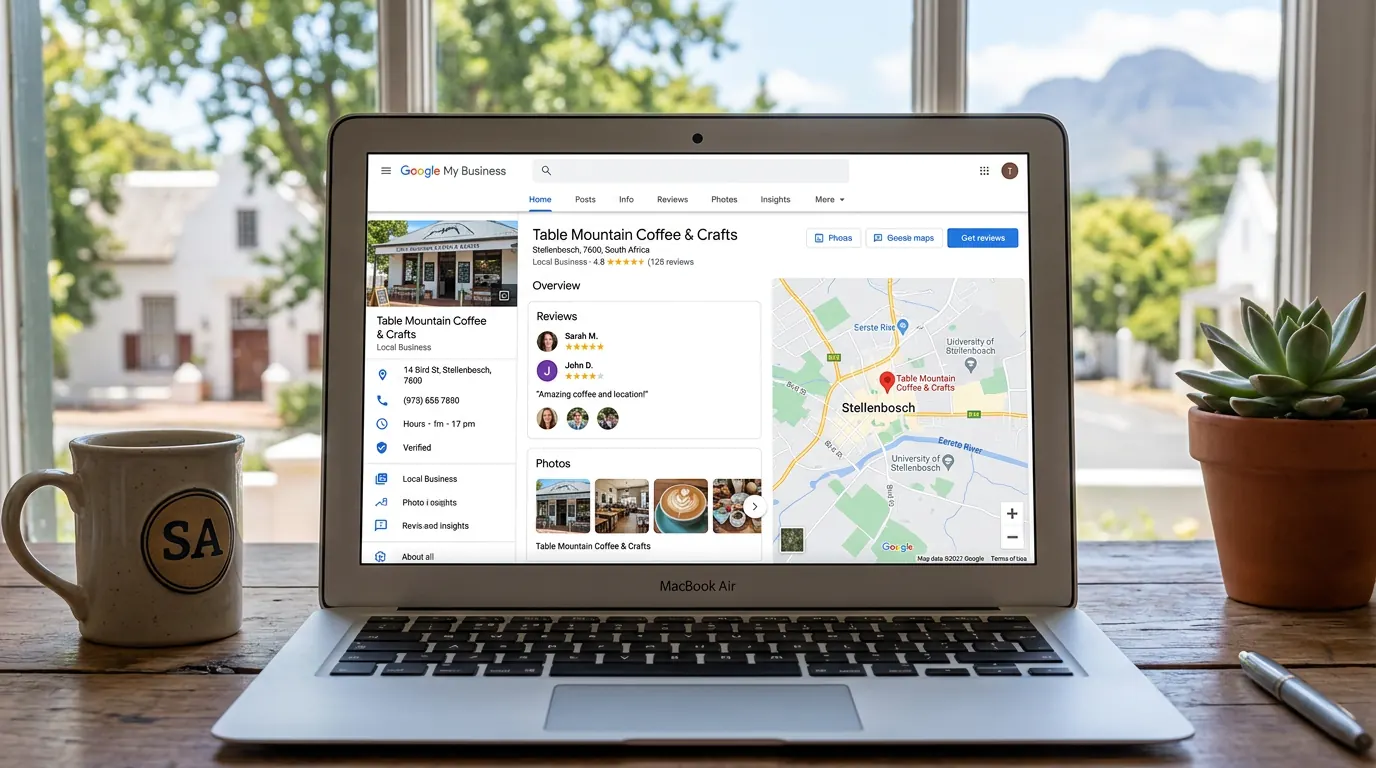
When people search for a business "near me" or by location, Google often shows a map pack with a few local listings. Your Google Business Profile (formerly Google My Business) is the listing that represents your business there. If it's missing, incomplete, or outdated, you're handing visibility to competitors. If it's set up well, you get free exposure to people who are ready to find you.
This guide walks you through what a Google Business Profile is, how to claim or create one, what to fill in, and how to optimise it so you attract more local customers. Everything here applies to businesses in South Africa and is free to use.
What is a Google Business Profile?
Your Google Business Profile is the panel that appears when someone searches for your business name, or when they search for your type of business in an area (e.g. "plumber Cape Town", "bakery near me"). It shows your business name, address, phone number, website, hours, photos, and reviews. You can manage it via Google Search, Google Maps, or the Google Business Profile app.
Google uses this information to decide when to show you in local results. A complete, accurate profile with regular activity and good reviews tends to rank better. It's one of the most powerful free tools for local visibility.
How to claim or create your profile
Go to business.google.com and sign in with a Google account (preferably one you use for the business). Search for your business name and address. If Google already has a listing for you, you'll see "Claim this business". If not, choose "Add your business to Google" and enter your details.
Google will verify that you own or represent the business. The usual method is a postcard sent to your business address with a code. Enter the code in your profile to complete verification. Verification can take a few days. Once verified, you can edit your listing and respond to reviews.
What to fill in (and why it matters)
Every field you complete helps Google and customers understand your business. Use the exact same business name, address, and phone number everywhere (website, social media, directories) so Google can match and trust your listing.
Business name — Your real trading name, no extra keywords stuffed in.
Address — Physical address if you have a location customers visit; otherwise you can hide it and set a service area.
Phone — A number customers can call; make sure it's correct and answered.
Website — Your main website URL.
Category — Choose the single category that best describes your business (e.g. "Plumber", "Restaurant"). You can add more categories if Google allows for your business type.
Hours — Your opening hours; update them for holidays and special days.
Description — A short summary of what you do, your area, and what makes you different. Include relevant keywords naturally.
Attributes — Add whatever applies (e.g. "Women-owned", "Wheelchair accessible") so customers can filter and trust your listing.
The more complete and consistent your profile, the better it can perform in local search.
Photos and posts
Profiles with recent, relevant photos tend to get more engagement and can rank better. Add a logo, a cover photo, and photos of your premises, team, and work or products. Update them when something changes. Avoid stock images; real photos build trust.
You can also publish short posts (offers, updates, events) that appear on your profile. Regular posts signal an active business and give customers a reason to click. Even a few posts per month help.
Reviews: why they matter and how to get them
Reviews influence both customers and Google. More genuine, positive reviews can improve your position in the map pack and make people more likely to choose you. Ask happy customers to leave a review — after a job, in an email, or on a card. Make it easy: send them a direct link to your Google review form (you can find it in your profile under "Get more reviews").
Reply to reviews, especially negative ones. Thank people for positive feedback and address concerns professionally in public. It shows you care and can turn a bad experience into a constructive one.
Local SEO and your website
Your Google Business Profile works best with a real website. The same business name, address, and phone (NAP) should appear on your site, ideally on every page (e.g. in the footer). That consistency helps Google connect your profile to your site and can strengthen your local ranking.
If you have a Google Business Profile but no website, you're still missing a place to send visitors. A simple site with your services, area, and contact details completes the picture and gives you more control over the first impression.
Frequently asked questions
Is Google Business Profile really free?
Yes. Creating, claiming, and managing your Google Business Profile is free. You only pay if you choose to run Google Ads. Optimising your profile — photos, description, categories, hours, posts, reviews — costs nothing except your time.
How long does verification take?
Postcard verification usually takes a few days to two weeks, depending on the postal service. Some businesses may be offered other verification options (e.g. phone or email). Complete the step Google gives you; until then, your listing may be limited.
Can I have more than one location?
Yes. Businesses with multiple locations can create a separate profile for each. Each location must be verified. Use the same business name and branding where appropriate, but keep each listing's address, phone, and hours accurate for that location.
What if someone else claimed my business?
If the listing was claimed by an ex-owner, ex-employee, or someone else, you can request ownership. Go to the profile, look for "Request access" or use the Google Business support option to report that you are the owner or authorised manager. Google may ask for proof (e.g. business registration, utility bill).
A complete, accurate Google Business Profile is one of the best free ways to get found by local customers. Claim or create your profile, fill in every relevant field, add real photos, publish posts, and ask for reviews. Keep your details consistent with your website and elsewhere on the web. If you want us to set up and look after the listing, Google Business Profile listing care is R175 per month. Posts, review replies, ads and SEO sit in a digital marketing retainer — or get in touch to chat.